
Published November 20, 2026
Automated lead follow-up works best when it supports a clear path from inquiry to sales conversation. A well-designed workflow reflects your CRM, the details your team needs, and the points where a person should take over. Start by mapping how inquiries arrive and who responds.
The goal is timely, relevant contact, not messages that feel automatic or disconnected. This guide explains how to connect follow-up to a CRM, use email sequences in a practical sales process, and consider privacy and data protection. It also covers handling replies, maintaining useful lead records, and ensuring automation supports rather than replaces human conversation. You’ll see what a professional setup involves and where your current workflow may need attention.
Key Takeaways
- Match follow-up messages to a lead’s actions so each next step feels relevant.
- Set sequences to stop when someone replies, giving your team room to continue the conversation personally.
- Plan how lead details and follow-up activity should move between your CRM and other tools.
- Build privacy-minded follow-up around clear expectations and an easy way for recipients to opt out.
1. Are auto follow-up emails privacy compliant?
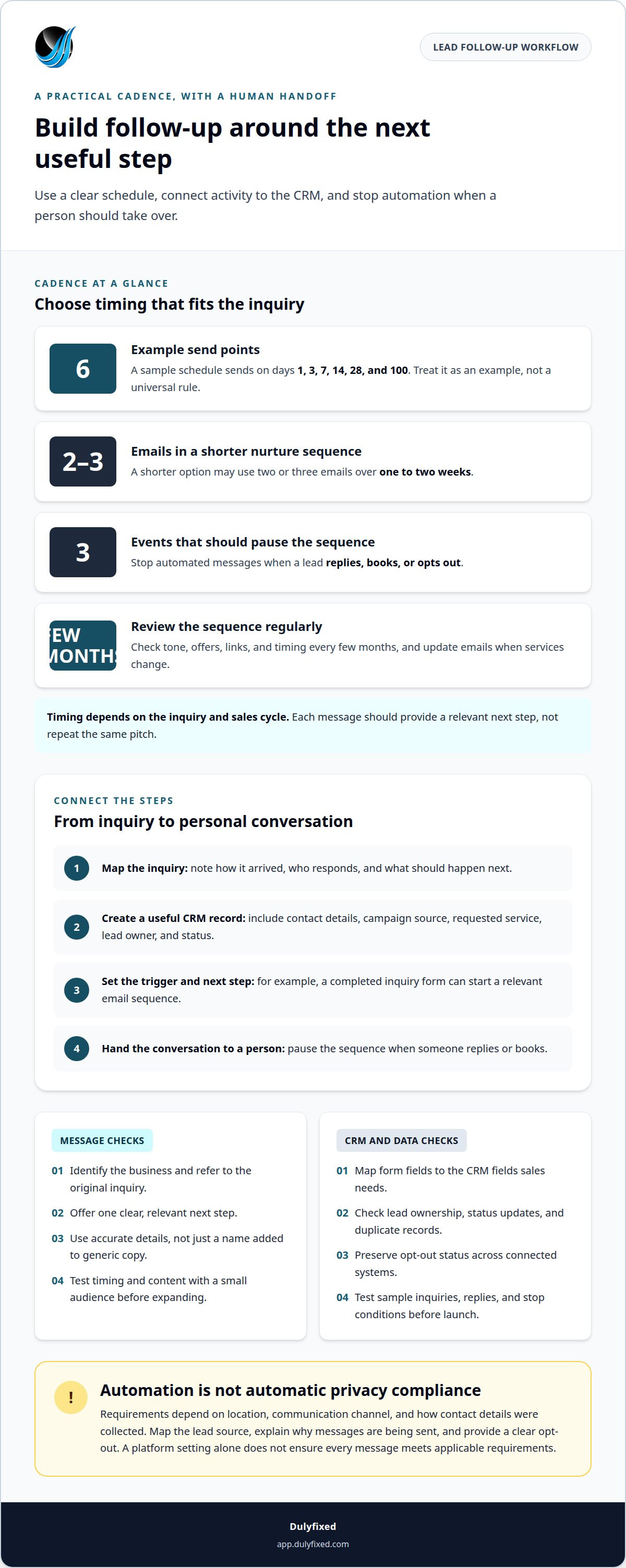
Automated follow-up is not automatically privacy-compliant. Requirements depend on location, communication channel, and how contact details were collected. Before starting a sequence, map the lead source, explain why messages are being sent, and provide a clear opt-out. A platform setting alone does not ensure that every message meets applicable requirements.
Segmentation helps make messages relevant instead of sending every lead the same script. For example, someone requesting a service estimate could receive a service-focused message, while someone downloading a planning guide could enter an educational email sequence. Behavior-based sequences use actions, such as submitting a form or booking a meeting, to guide what happens next. Avoid using sensitive details or making assumptions the lead has not shared.
Email, SMS, or phone may suit a follow-up workflow, depending on the inquiry, the contact details provided, and the recipient’s expectations. Choose channels that reflect the lead’s stated preferences and your business’s process. Setup effort depends on your CRM and platform, the state of your data, message writing, workflow complexity, and testing. More branches and integrations take more work to implement.
Automation can lead to irrelevant or duplicate messages, outdated details, or a sequence that continues after someone replies. Reduce these risks by testing each path, checking opt-out handling, and stopping messages when a person responds. Personalize messages with accurate, relevant details, not just a name inserted into generic copy. Test timing and content with a small audience before expanding the workflow. Review results and update sequences when customer behavior or offers change.
2. How does automated email follow-up improve my sales process?
Begin by mapping how a lead arrives, who is responsible for responding, and what happens next. Then define triggers, such as a completed inquiry form, and build a sequence around the lead’s next useful step. This creates a repeatable alternative to manual reminders while leaving sales conversations to people.
A sample schedule might send emails on days 1, 3, 7, 14, 28, and 100. A shorter nurture sequence could use two or three emails over one to two weeks. The right timing depends on the inquiry and sales cycle. Each message should offer a relevant next step, not repeat the same marketing pitch.
Stopping rules are as important as send times. The software should pause a sequence when a lead replies, books, or opts out. That prevents an automated message from arriving after a salesperson has begun a personal conversation. Test every trigger and stop condition before launching the workflow.
Useful email and SMS templates identify the business, refer to the original inquiry, and offer one clear next step. An email, for instance, can answer a service question and invite a reply. A text should be concise, identify the sender, and make it clear how to respond. Include appropriate opt-out handling for both channels.
Sequence maintenance includes reviewing message tone, offers, links, and timing every few months. Owners can also check whether outdated emails still match current services. For a workflow that connects lead handling with other business processes, explore support planning a business workflow.
3. CRM and lead-management integration
A connected CRM keeps prospect information in one organized record rather than scattering it across emails and spreadsheets. For example, an inquiry from a landing page can create a lead record with the campaign source, contact details, and requested service. That context helps the sales team understand where the conversation began and follow up consistently.
There is no single best CRM and marketing automation platform for every business. Look for a system that captures lead details, supports your workflow, and shares useful updates with connected tools. Consider the software you already use, too. Reusing a CRM your team maintains may be more practical than adding another platform.
Plan an integration around the information sales needs. Map inquiry fields, lead owner, status, and campaign source to the corresponding CRM fields. For example, a form submission might create a prospect record, while a reply updates its status. Clear field mapping helps prevent missing context and duplicate records.
Next, connect each important event to the right action. A new landing-page lead might enter an email sequence, while a booked meeting updates the CRM and removes the prospect from promotional follow-up. Preserve opt-out status across connected systems so a later data update does not restart messages improperly.
Before launch, test sample inquiries from each form and campaign. Check that records arrive correctly, ownership is clear, and replies update the intended lead. Tracking these outcomes gives the business a clearer view of conversion activity, but campaign attribution alone does not prove that a particular message caused a sale.
Dulyfixed Small Business Solutions
Dulyfixed Small Business Solutions can help strengthen the digital path that brings prospects to your business. If inquiries arrive through unclear pages or campaigns, a website review can identify friction points and gaps in how your offer is presented. When a page needs a clearer message or structure, website design and landing page development can support a more focused inquiry path. Local and national SEO can also help connect relevant searches with the right page. These services support the foundation around lead generation, while your CRM and follow-up process handle what happens after an inquiry. For a practical discussion of your business needs, contact Dulyfixed Small Business Solutions.
Turn your lead process into a practical plan
To decide how to automate lead follow up, start with how your business receives and handles inquiries. Identify the information your sales process needs, where prospects should go next, and when a personal response is important. A clear plan connects the inquiry path on your website with the follow-up experience customers receive.
Dulyfixed helps small businesses and organizations improve that digital path through Websites and Landing Pages, and SEO and AI Discovery. These services can clarify how people find your business and how they take the next step. Dulyfixed can also plan and implement back-office integrations and automation when the work is agreed for a project.
Get It DulyfixedStart with the part of your lead journey that needs the clearest improvement. A focused plan gives your next steps direction.
Frequently Asked Questions
Can a professional integrate automated follow-up with my current CRM?
Integration depends on the CRM’s connection options and the follow-up platform’s capabilities. Assess whether the systems can exchange updates directly or need a different workflow design. The practical goal is to avoid duplicate records and keep ownership clear. If your team uses CRM reports or custom fields, include those needs in the integration plan.
Do automatic follow-up emails adhere to privacy and data protection laws?
They may, but the answer depends on where recipients are located and how your business collects and uses their information. An automated campaign should reflect the purpose explained when someone submits a form. Keep records of contact preferences and ensure changes carry across connected systems. For advice about specific legal duties, consult qualified legal counsel.
How do I ensure my follow-up emails don’t end up in the spam folder?
No sender can guarantee inbox placement. Use a business email domain configured for sending, keep the sender name recognizable, and make subject lines match the email content. Avoid sending to outdated or purchased lists. Monitor delivery and bounce reports in your email platform, then address problems with email addresses or configuration before they affect more messages.
How does automated email follow-up improve my sales process?
Automation can make sales activity easier to review across the pipeline. A manager, for example, can see whether inquiries are assigned, waiting for a decision, or ready for a later check-in. That view helps reveal stalled opportunities and clarify ownership. Automation supports coordination, while sales staff decide how to handle each conversation.
What analytics or reports can I get from my follow-up campaigns?
Reporting varies by platform, but campaign dashboards may show delivery status, opens, clicks, replies, unsubscribes, and lead-stage movement. Useful reports separate results by audience or campaign source and define measures consistently. Compare engagement with CRM outcomes, such as scheduled meetings or qualified opportunities, to identify activity that merits closer review.
Workflow and automation support
Start with a recurring task, the systems involved and what needs to work better.