
Published November 25, 2026
A Google Business Profile is free, but setting it up well takes more than filling in a few fields. Google Business Profile optimization for a small business starts with creating or claiming the right listing, then keeping its information accurate and useful.
It makes sense to understand the costs before investing time in a profile. Here’s what Google provides at no charge, what setup and verification involve, and how customer reviews fit into ongoing management.
This article also explains how to respond to positive and negative reviews, invite honest feedback, and decide when professional support may help. The goal is a profile that represents your business clearly and gives local customers practical information as they decide where to go or whom to contact.
Key Takeaways
- A Google Business Profile is free to create and manage, but accurate details help customers understand what your business offers and where to find it.
- Creating or claiming a profile includes adding business information and completing Google's verification process.
- Thoughtful, timely replies help you manage customer feedback and show that you take reviews seriously.
- When your profile and website need to work together more clearly, Dulyfixed Small Business Solutions can help with AI Discovery and Structured Data Optimization.
1. Managing customer reviews
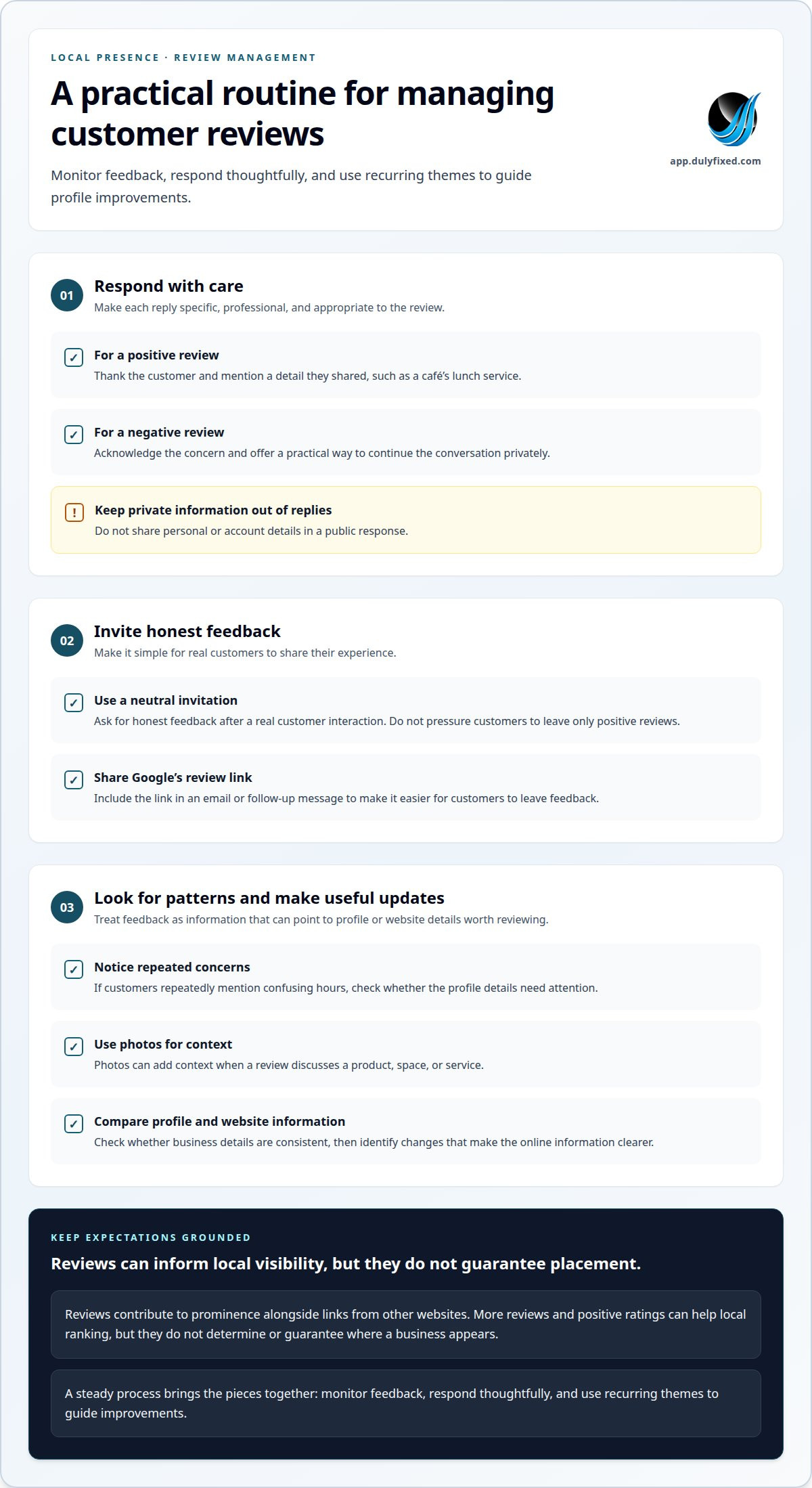
A professional review process makes customer feedback part of routine reputation management. A specialist monitors new reviews, identifies recurring concerns, and prepares timely, specific replies. Reviews contribute to a business’s prominence, alongside links from other websites, and more reviews and positive ratings can help local ranking. They do not guarantee where a business will appear.
For a positive review, thank the customer and mention a detail they shared. For example, a café might thank someone for mentioning its lunch service. Respond to negative reviews, too: acknowledge the concern and offer a practical way to continue the conversation privately. Avoid sharing personal or account details in a reply.
Review requests work best as simple, neutral invitations after a real customer interaction. Google makes it easy to share a review link, and you can include it in an email or follow-up message. Invite honest feedback rather than pressuring customers to leave only positive reviews.
Next, a specialist reviews patterns in ratings and comments. Repeated mentions of confusing hours, for instance, may point to a profile detail that needs attention. Photos can also give context when a review discusses a product, space, or service. A professional can compare profile feedback with website information and local search insights, then identify changes that support consistent business details. This broader local SEO work connects reputation signals with the business’s online presence.
Review management is ongoing: monitor feedback, respond thoughtfully, and use recurring themes to guide improvements. A steady process shows customers that the business values their input.
2. Is a Business Profile on Google free?
Google Business Profile can be created and managed at no cost. Professional support is separate from Google’s free listing. It can help maintain accurate details, useful updates, and a consistent online presence, but it is not a paid shortcut into search results.
Local search visibility depends on relevance, distance, and prominence. Make the listing more relevant by accurately describing the business, its services, and its service area. Compare the business name, address, phone number, and website with the company website and other online directories. Consistent details help customers recognize the business and understand where it operates.
Review the categories, services, hours, and available attributes. They should describe the actual business, not just target popular searches. If a shop changes its holiday hours or adds a service, update the profile and website to match. Accurate information builds trust, while outdated hours can send customers to a closed location.
Photos and videos help show what customers can expect. A professional selects clear, representative visuals and checks photo files against Google Business Profile’s listed requirements: JPG or PNG format, with images at least 720 pixels wide and 720 pixels tall. Video choices should also represent the business and its services accurately.
Keep the listing factual and consistent to reduce suspension risk. Avoid misleading business names, unsupported locations, and details that conflict with real-world operations. Review proposed edits before publishing instead of treating profile changes as an instant ranking tactic.
Updates need a practical plan. A specialist can schedule Google Posts for relevant news, events, or promotions, then review profile insights to see how customers find and use the listing.
If your profile and website need a closer alignment, get help reviewing your local search presence.
3. Creating or claiming a Business Profile
Google describes setup as a three-step process: add or claim the business, complete its details, then verify the profile. First, look for an existing listing to avoid duplicates and ensure the correct profile is managed. This matters especially when customers already find the business on Google Maps.
For an existing listing, start the claim process. For a new one, add the business and enter its details. The owner or an authorized representative provides accurate information and completes Google’s verification method, which may use a postcard or video. Verification establishes that the profile manager can represent the business.
Professional Google Business Profile optimization for a small business includes selecting categories that match its actual work. Google offers more than 4,000 business categories, and a business can select up to 10. A professional chooses relevant options and writes service descriptions in clear language, using keywords only where they naturally explain what customers can buy. Unrelated terms can confuse customers instead of helping the listing appear for relevant searches.
Before the profile is ready, compare its name, address, phone number, hours, and website with the business’s public information. Add a description and representative photos, then review the listing after verification. This final check can catch errors that might misdirect customers or create an inaccurate impression. A complete profile helps people understand the business before visiting or contacting it, but local traffic depends on more than profile setup.
Dulyfixed Small Business Solutions: AI Discovery and Structured Data Optimization
Dulyfixed Small Business Solutions helps connect your Business Profile with the information on your website. Its AI Discovery and Structured Data Optimization work can clarify how your business, services, and locations are described online. This is useful when profile details are accurate, but your website presents different or incomplete information.
For example, a business may list a service on its profile but describe it differently on its website. Aligning those details gives customers a more consistent picture and helps search systems interpret the information. This work complements profile management; it does not replace verification, accurate updates, or thoughtful review responses, and it cannot guarantee search placement.
Turn to AI Discovery and Structured Data Optimization when your website and profile need a clearer connection. For help planning that next step, contact Dulyfixed Small Business Solutions.
Make your profile part of a stronger online presence
Google Business Profile optimization for a small business should support a clear customer journey, not become a checklist of edits. Consider where prospective customers need more clarity before they decide to call, visit, or learn more.
Choose one point of confusion to address next. A specific priority helps you focus and assess whether the change makes your business easier to understand. Small, deliberate steps can keep your online presence moving forward.
Get It DulyfixedFrequently Asked Questions
Is a Business Profile on Google free?
Yes. Google lets businesses create and manage a Business Profile at no cost. Hiring a professional to organize profile information or coordinate ongoing improvements is a separate service. The profile itself does not require paid placement to appear in local search. Google does not accept payment or requests for a better local ranking.
How does a professional optimize a Google Business Profile step by step?
Start by locating an existing listing and determining whether it needs to be claimed or corrected. Then confirm the business information with an authorized representative, complete relevant fields, and coordinate Google’s verification process. After verification, review categories, photos, services, and website details. Plan updates and monitor customer feedback for issues worth addressing.
Which Google Business Profile fields should a professional complete for a small business?
Complete the fields that accurately describe how customers interact with the business. These may include its name, contact details, hours, website, categories, services, and description. If the business serves customers at their locations, describe its service area. Align public details with the business website and actual operations.
How does a professional choose Google Business Profile categories to support local search rankings?
Choose categories based on the business’s primary activity, then add other relevant categories only when they describe genuine services. For example, a shop that also provides a distinct repair service may need a category for that service. Categories help Google assess relevance, but they cannot make an unrelated business eligible for different searches.
How can a professional improve a small business's Google Maps local ranking?
Strengthen the factors within the business’s control: accurate details, clear service information, a relevant website, and active review management. Google also considers distance from the searcher, which the business cannot control. Track profile insights and correct weak or inconsistent information, but remember that no profile change can promise a particular Maps position.